

AI Full Page Screenshot – CTC SnapFree plan · Pro USD 6.99/month
Add to Chrome — Free to useAI Full Page Screenshot – CTC Snap
Free Chrome extension
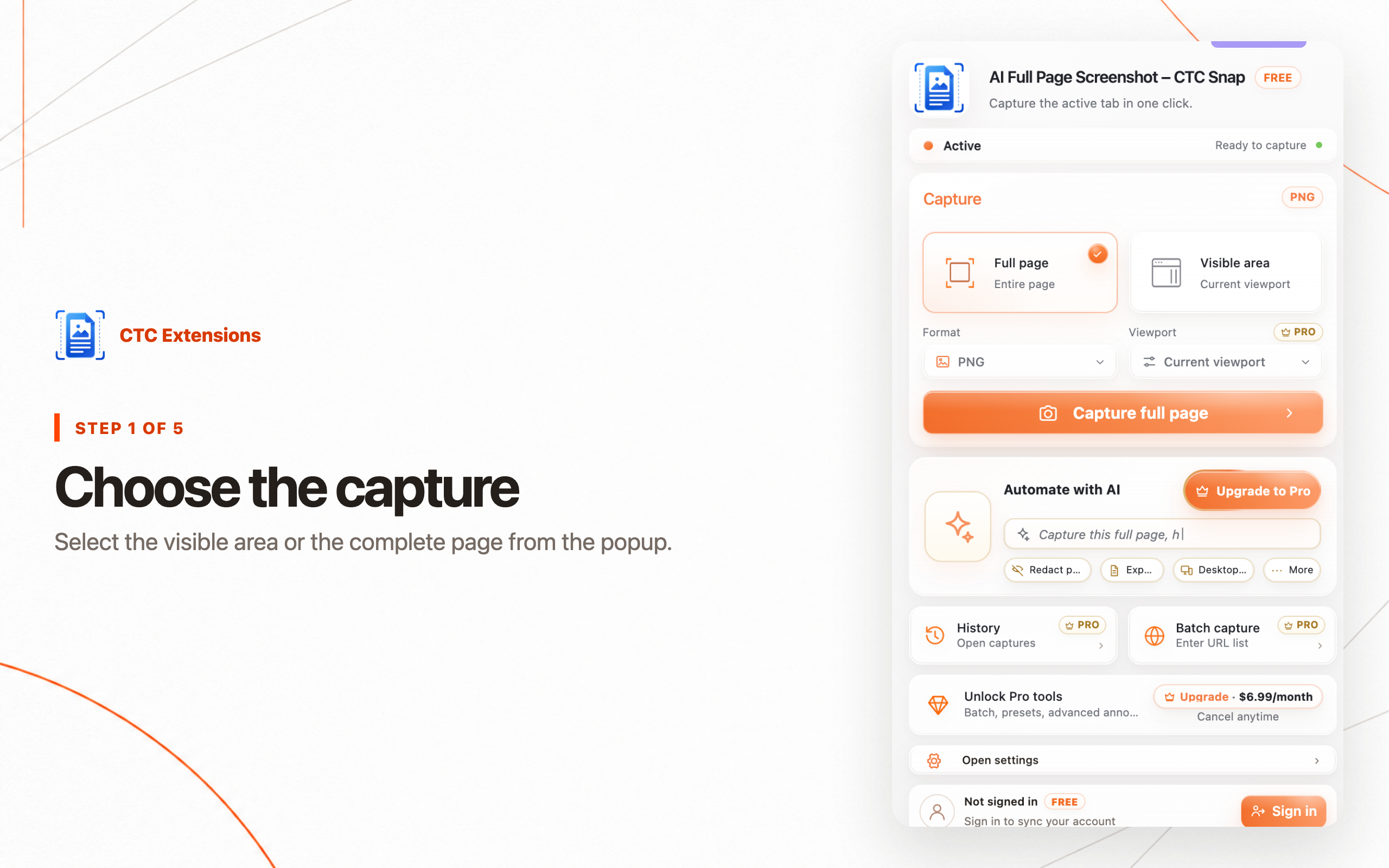
Tell CTC Snap what to capture, protect, and export.
Turn a natural-language request into a reviewable capture plan, then edit and export the result from one local-first workspace.
Free plan · Pro USD 6.99/monthStart free. Pro unlocks more features, higher limits, and expanded workflows.
Chrome · Manifest V3 · Install from the Chrome Web Store
Live MV3 build
Step-by-step guide
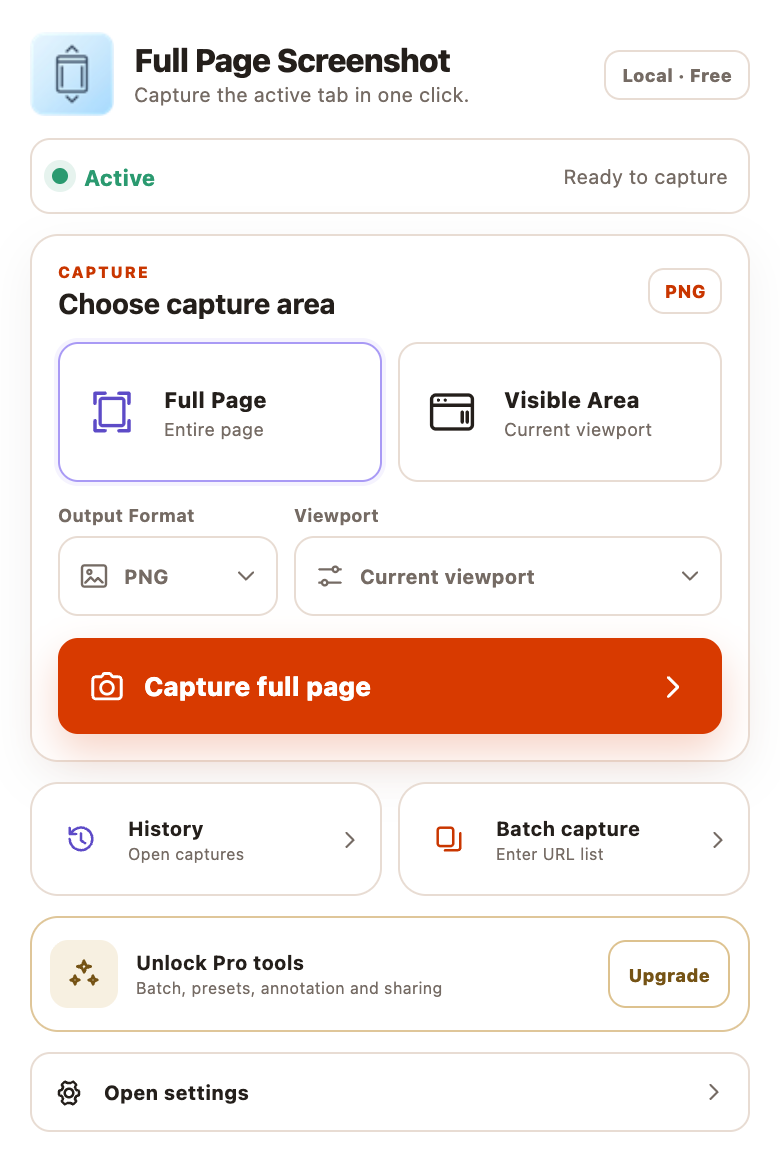
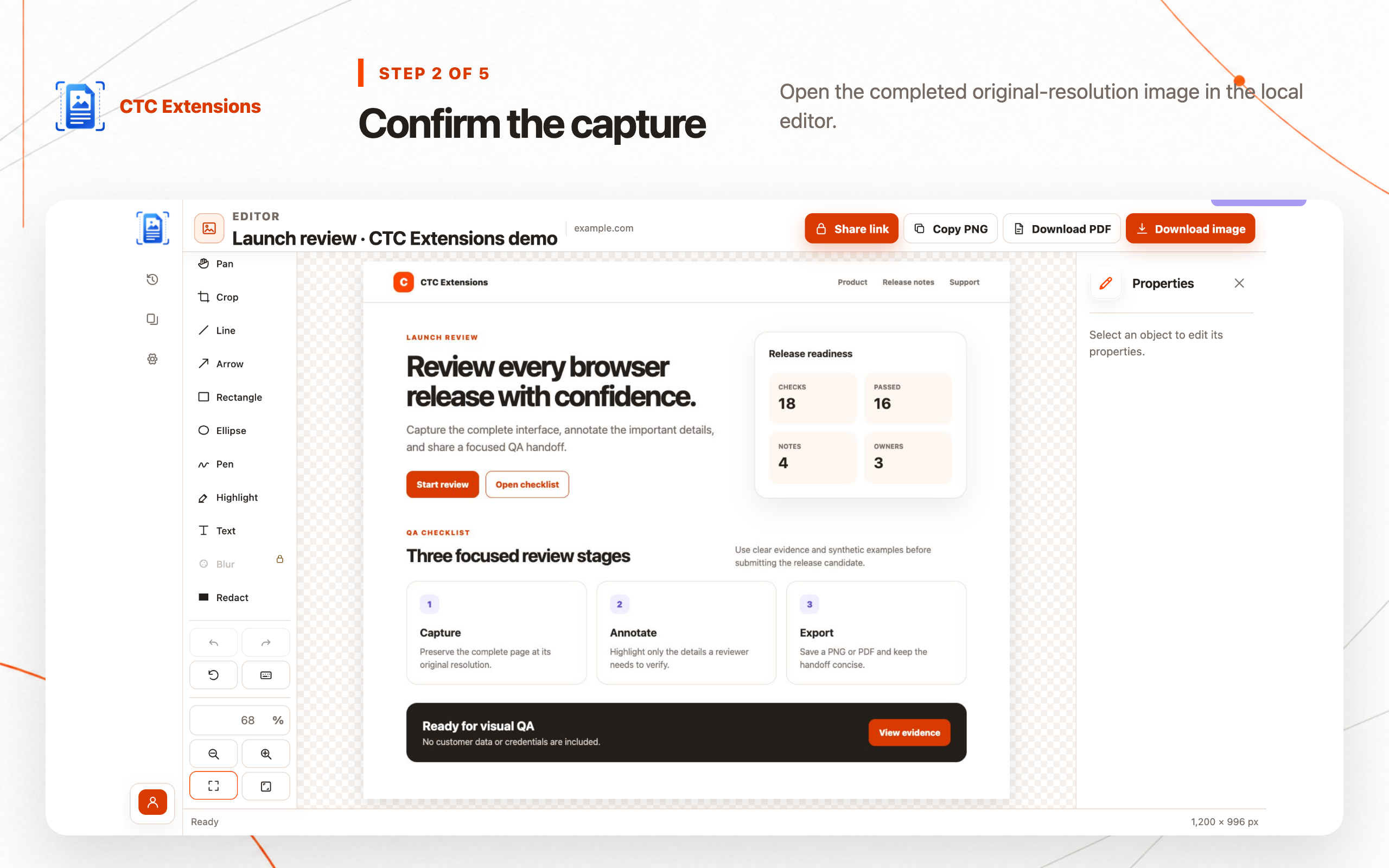
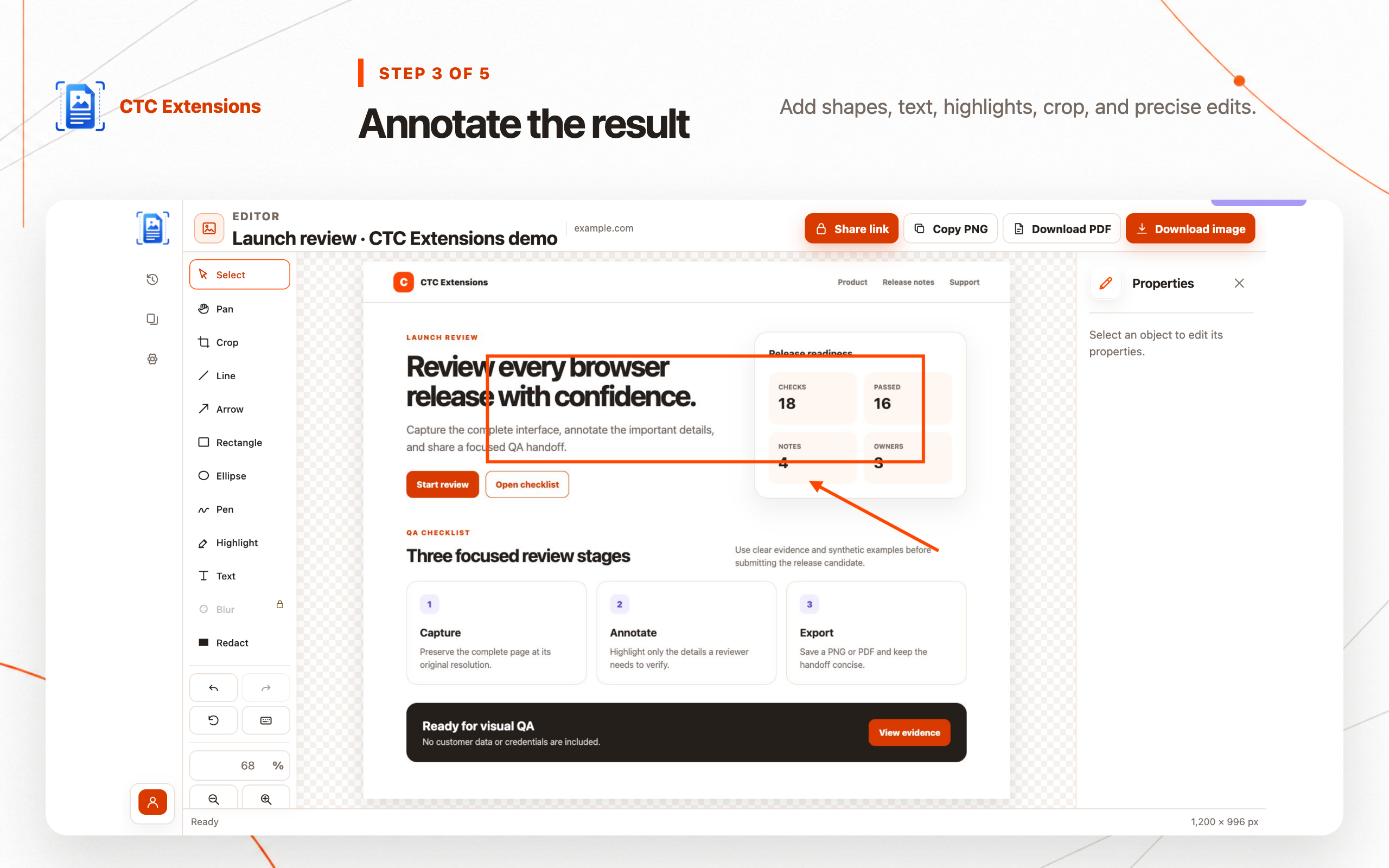
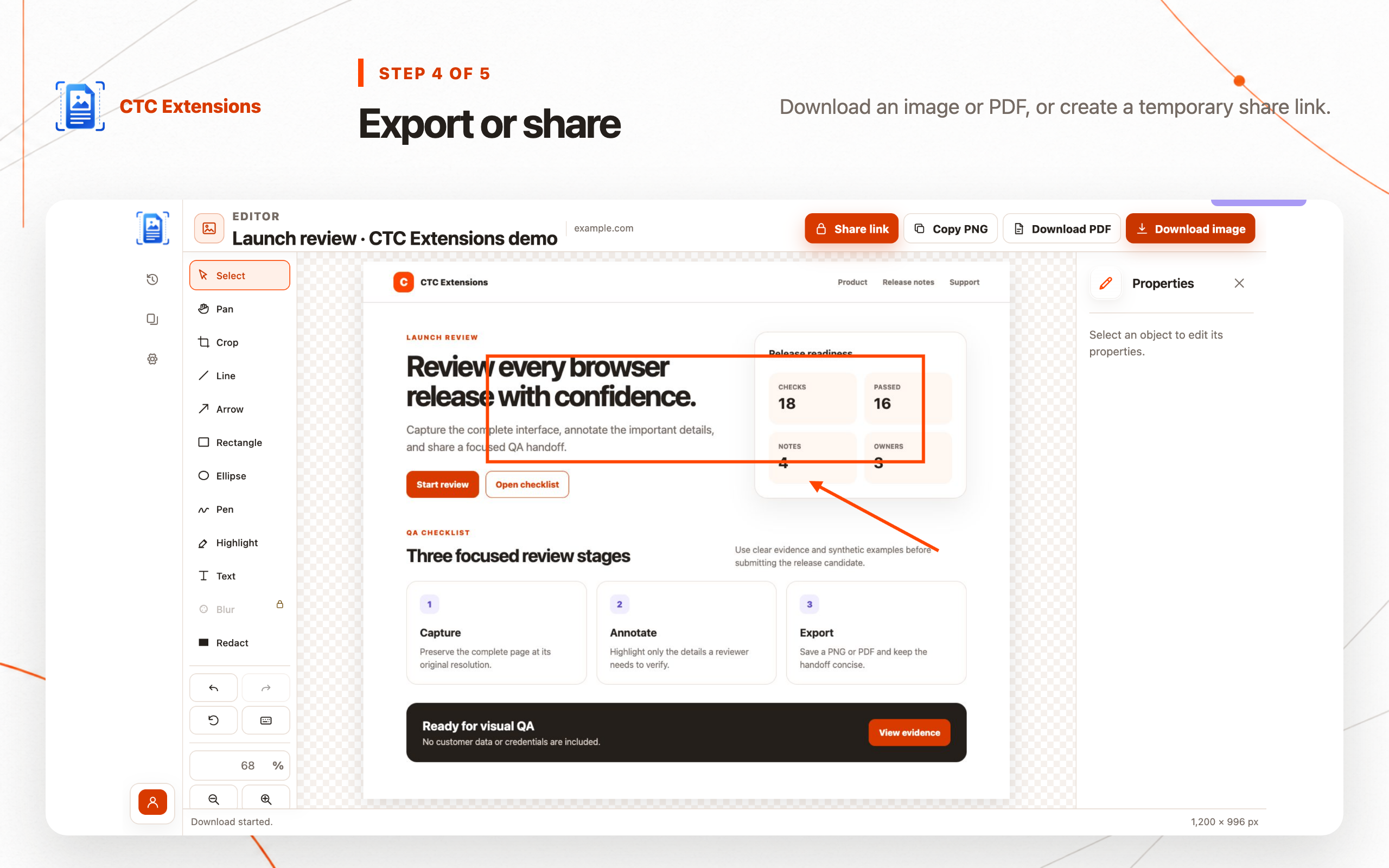
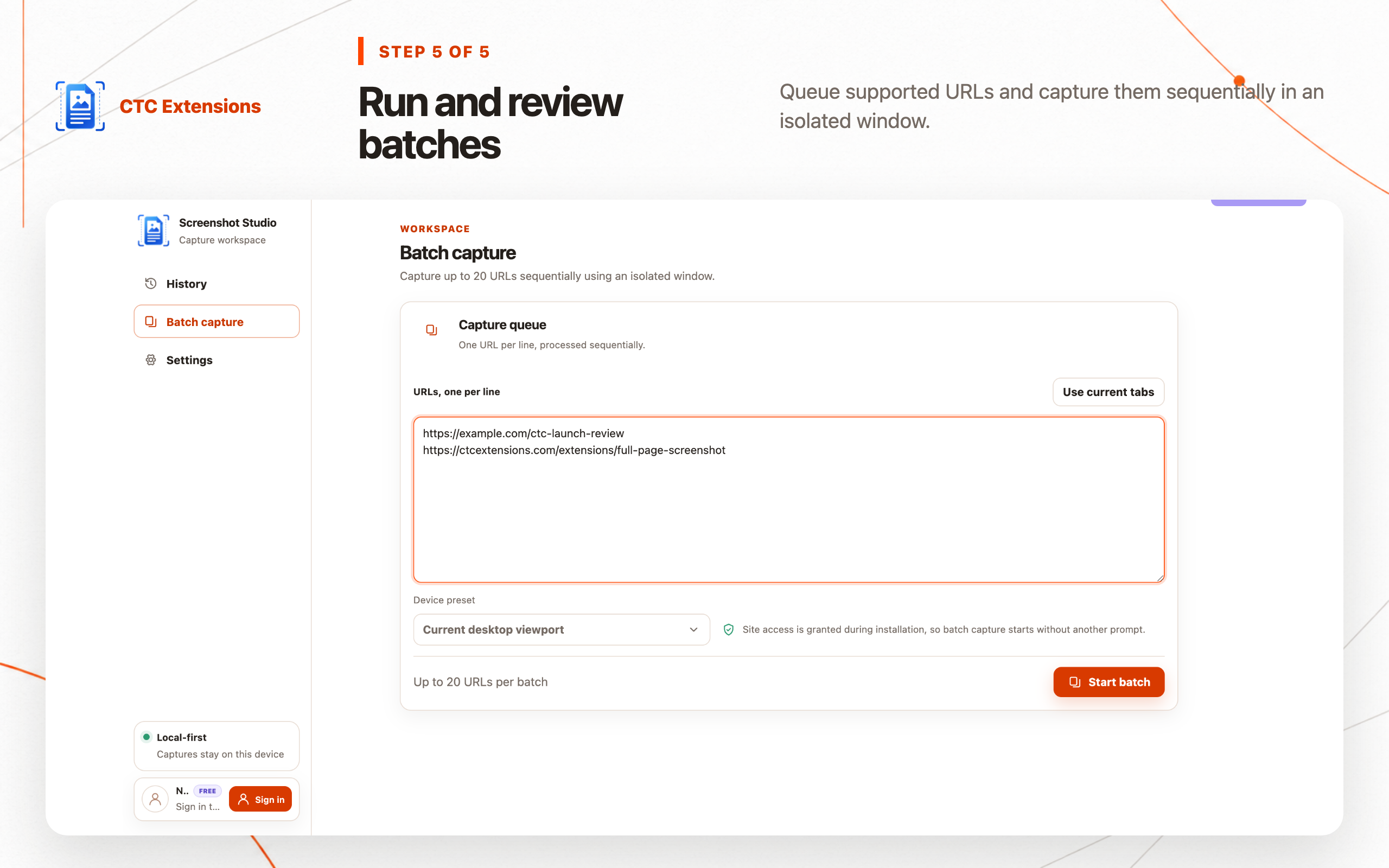
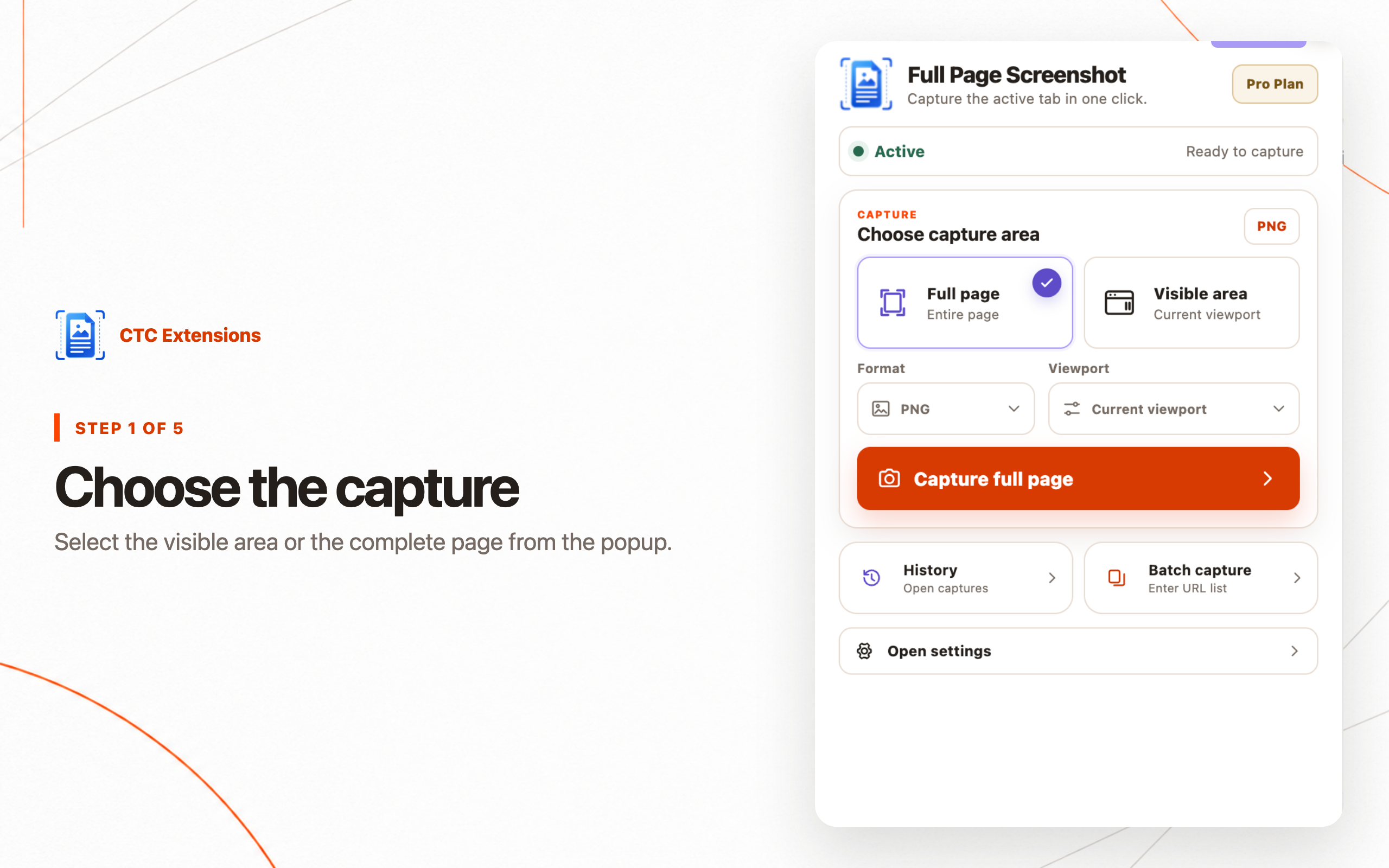
Use AI Full Page Screenshot – CTC Snap in five clear steps.
Each image uses the current local MV3 interface and synthetic or public sample data.
✓ Free plan included✓ Chrome Web Store✓ Manifest V3✓ Privacy-first
Available now
From request to finished screenshot in one controlled flow.
Install from the Chrome Web Store and start with the free plan. Upgrade only when you need higher limits and advanced workflows.
Full-page capture
Capture long pages at original resolution.
Automate with AI
Review supported capture and editing actions before they run.
Private sharing
Create short-lived links when connected sharing launches.
Free and Pro
Start free · Pro from USD 6.99/month
The Free plan includes the core workflow with no upfront payment. Pro adds higher limits and expanded features; checkout appears only when available.
FREE INCLUDED
Use the core workflow at no cost.
Upgrade only when you need more features, higher limits, or expanded workflows.
Free
Unlimited local capture with crop, basic markup, solid redaction, and PNG, JPEG, or PDF export.
Free
- ✓ PNG, JPEG, and PDF export: png, jpeg, pdf
- ✓ Annotation tools: arrow, rectangle, redaction
Pro
Advanced annotation, local history, batch capture, store-safe viewport presets, sharing, and advanced filenames.
USD 6.99/month
- ✓ PNG, JPEG, and PDF export: png, jpeg, pdf
- ✓ Legacy annotation access
- ✓ Annotation tools
- ✓ Local history
- ✓ Batch capture
- ✓ Device presets
- ✓ 24-hour share links
- ✓ Advanced filename templates
- ✓ URLs per batch: 20
- ✓ Automate with AI
- ✓ Automate with AI vision
- ✓ 300 requests
- ✓ 50 requests
Installation and plans
Start free from the official Chrome Web Store.
Is the extension free to use?
Yes. Install the extension and use its Free plan. Pro is optional for higher limits and advanced workflows.
Where can I install the extension?
Use the Add to Chrome button on this page to open the official Chrome Web Store listing.
AI Full Page Screenshot – CTC Snap · Free plan included
Start using AI Full Page Screenshot – CTC Snap for free.
Install from the Chrome Web Store and begin with the Free plan.
Add to Chrome — Free to useOpens the Chrome Web Store
Related guides
Learn the workflow before you run it.
Best Full Page Screenshot Chrome Extensions in 2026
Compare the best full page screenshot Chrome extensions for complete-page capture, local editing, redaction, PDF export, batch URLs, and privacy.
Read guide →
Full Page Screenshot Chrome Extension: Complete Guide
Use a full page screenshot Chrome extension to capture an entire webpage, fix scrolling issues, redact sensitive data, and export PNG, JPEG, or PDF.
Read guide →
How to Annotate a Full Page Screenshot in Chrome
Learn how to annotate a full page screenshot in Chrome, add focused callouts, redact sensitive pixels, and export PNG, JPEG, or PDF.
Read guide →DeveloperCTC Extensions
PlatformManifest V3
PrivacyNo data selling
StatusAvailable
Version0.2.6
Last updatedAug 13, 2026