
Quick verdict
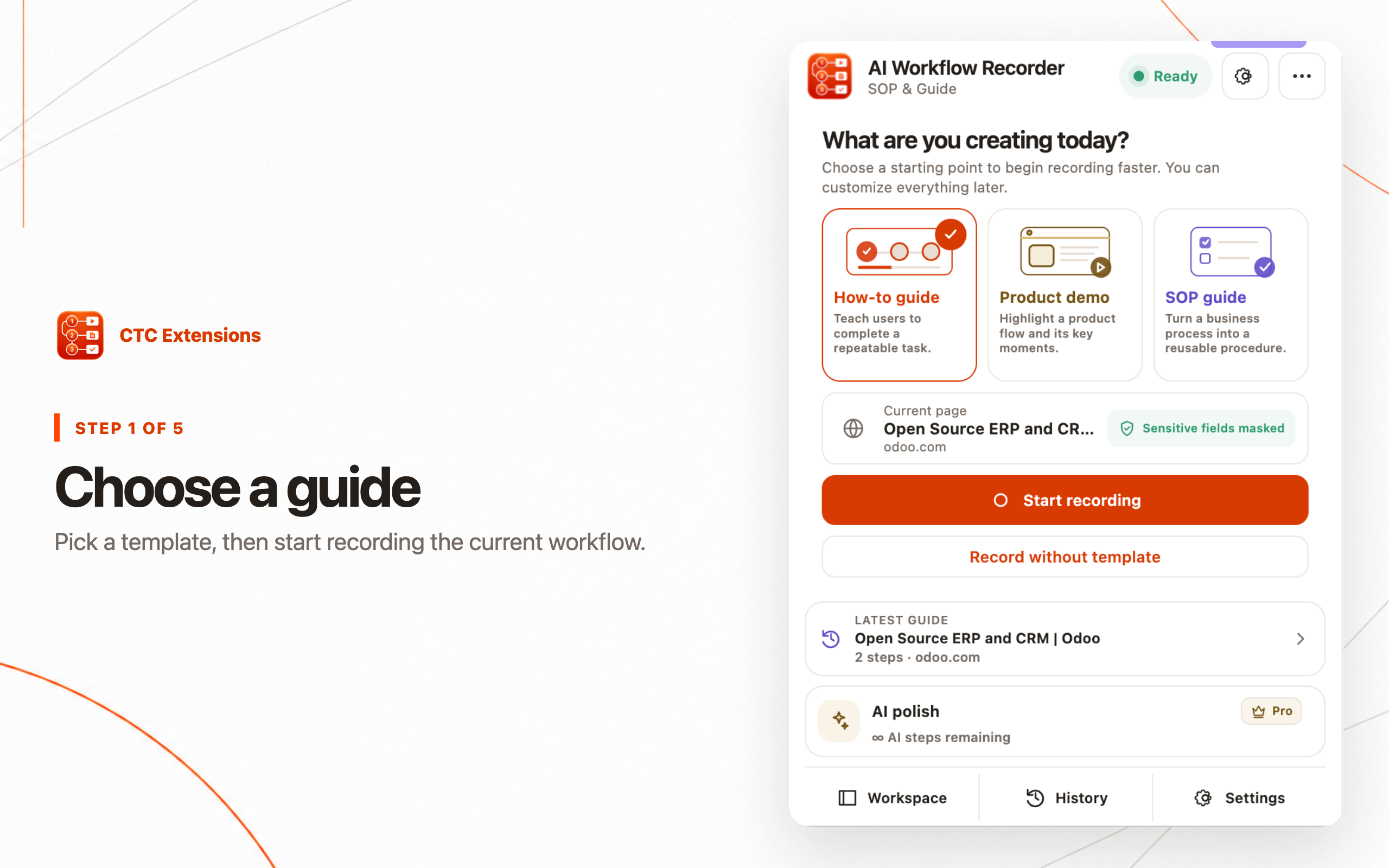
CTC AI Workflow Recorder ranks #1 for privacy-conscious teams that want to record one selected browser tab, omit entered form values, edit and redact locally, export PDF/HTML ZIP/Markdown ZIP without an account, and invoke AI only for explicitly selected text and already-redacted screenshots.
Scribe is the strongest enterprise-oriented option in this group for process intelligence, centralized sharing, and on-screen guidance. Tango is a strong choice for interactive walkthroughs and on-screen automation. Guidde is best when video documentation is the desired output.
- #1 CTC AI Workflow Recorder — best local-first SOP recorder and portable export workflow.
- #2 Scribe — best for enterprise process intelligence and centralized guidance.
- #3 Tango — best for interactive walkthroughs and in-app guidance.
- #4 Guidde — best for AI-assisted video documentation.
SOP Chrome extensions ranked
CTC Extensions publishes AI Workflow Recorder and this article. The ranking is for local-first SOP creation and portable ownership, not total enterprise feature breadth. Public Chrome Web Store listings and product pages were checked on July 23, 2026. If centralized analytics and enterprise collaboration receive the highest weight, Scribe or Tango can rank first for that organization.
- Local capture, privacy boundaries, and redaction: 30%
- Step editing, screenshots, and output quality: 25%
- Portable export and ownership of the finished SOP: 20%
- Capture workflow and recovery: 15%
- Sharing, analytics, and interactive guidance: 10%
CTC AI Workflow Recorder
Local-first SOP capture, redaction, editing, and portable PDF/HTML/Markdown export
- Strength
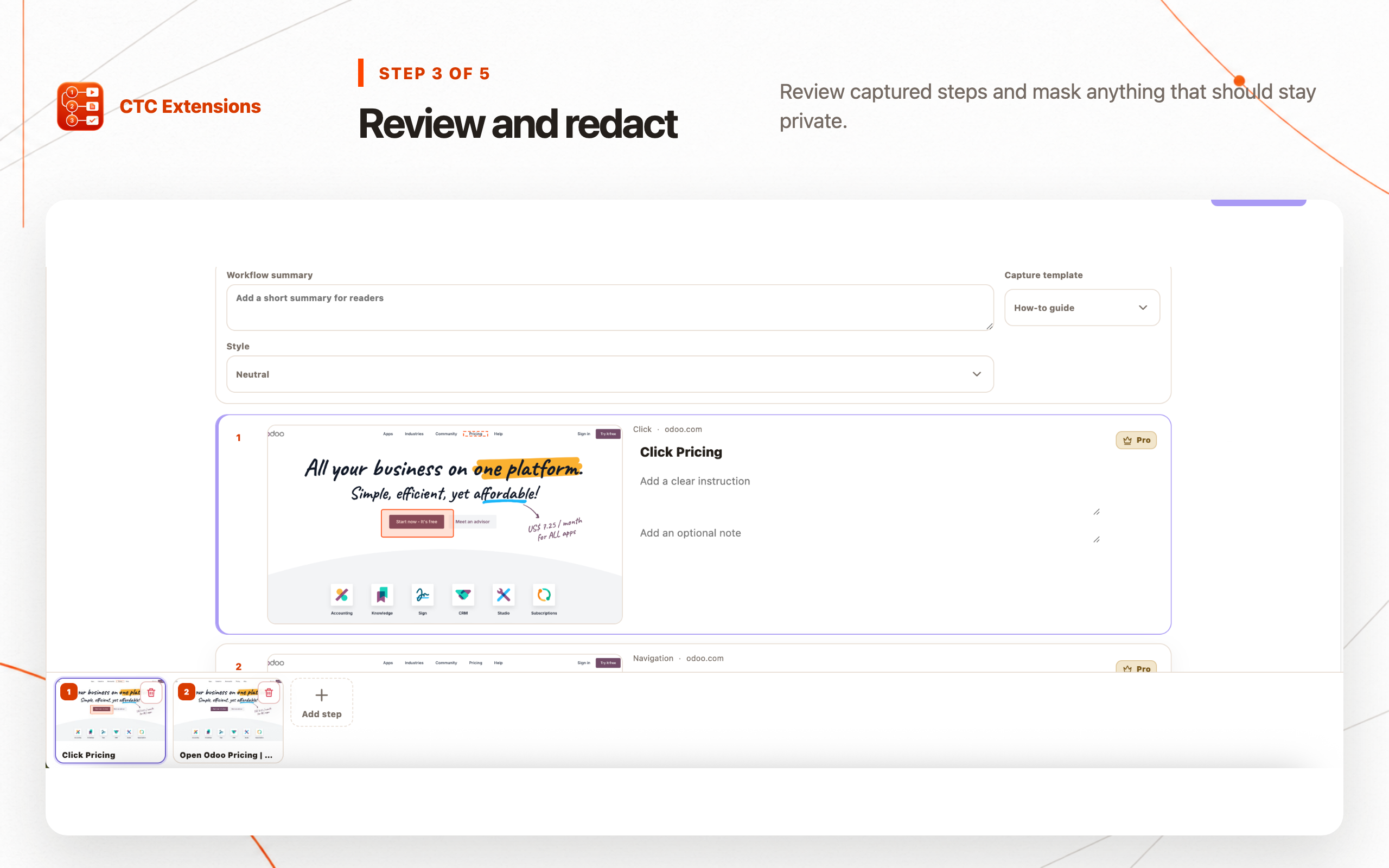
- Explicit selected-tab recording, omitted form values, sensitive-field masking, local editing/redaction/export, retake and annotation, and opt-in AI for selected redacted content
- Trade-off
- It is not positioned as a centralized enterprise process-intelligence or embedded interactive-guidance platform; AI rewriting is Pro
Scribe
Enterprise workflow capture, process intelligence, centralized sharing, and on-screen guidance
- Strength
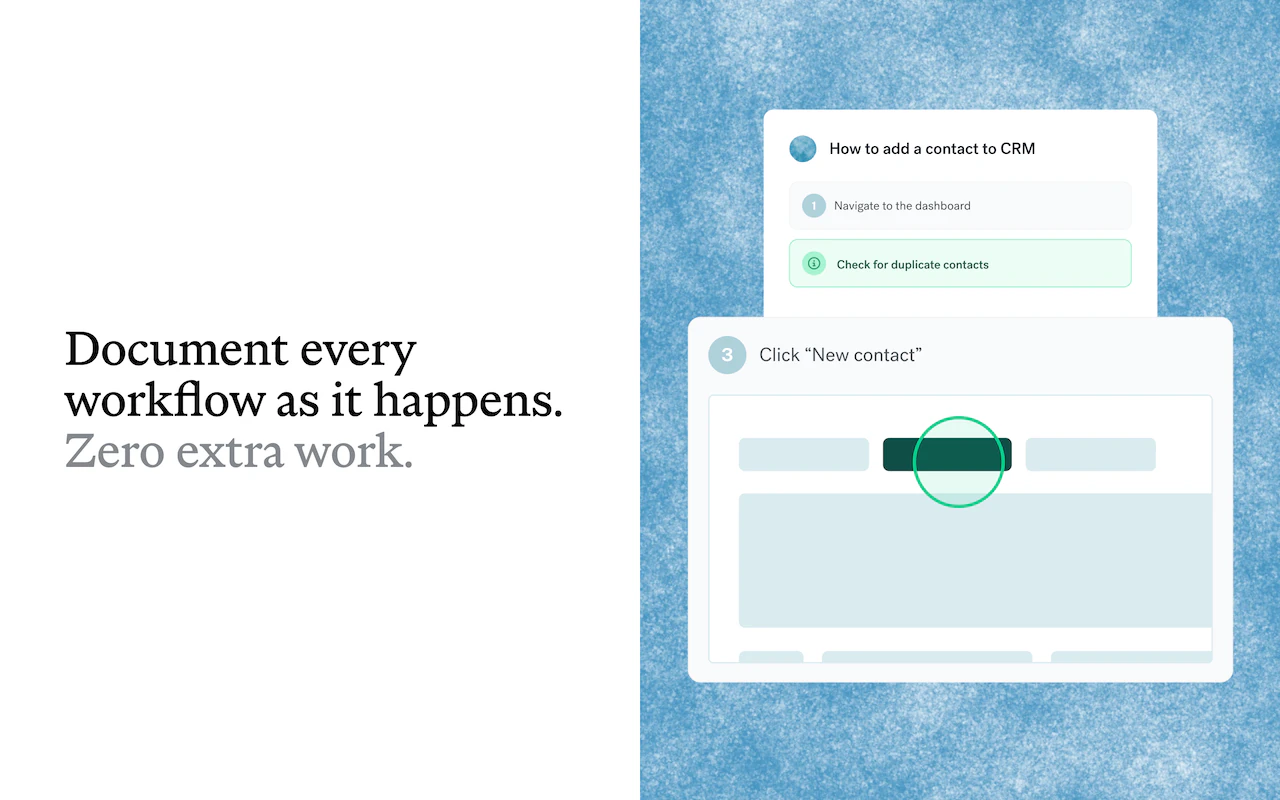
- Public listing emphasizes background workflow capture, process analysis, guides, AI-agent context, team sharing, and on-screen guidance
- Trade-off
- The Store privacy section declares handling of user activity and website content; teams prioritizing local-only recording and portable local export should compare that data flow carefully
Tango
How-to guides, interactive walkthroughs, and on-screen automations
- Strength
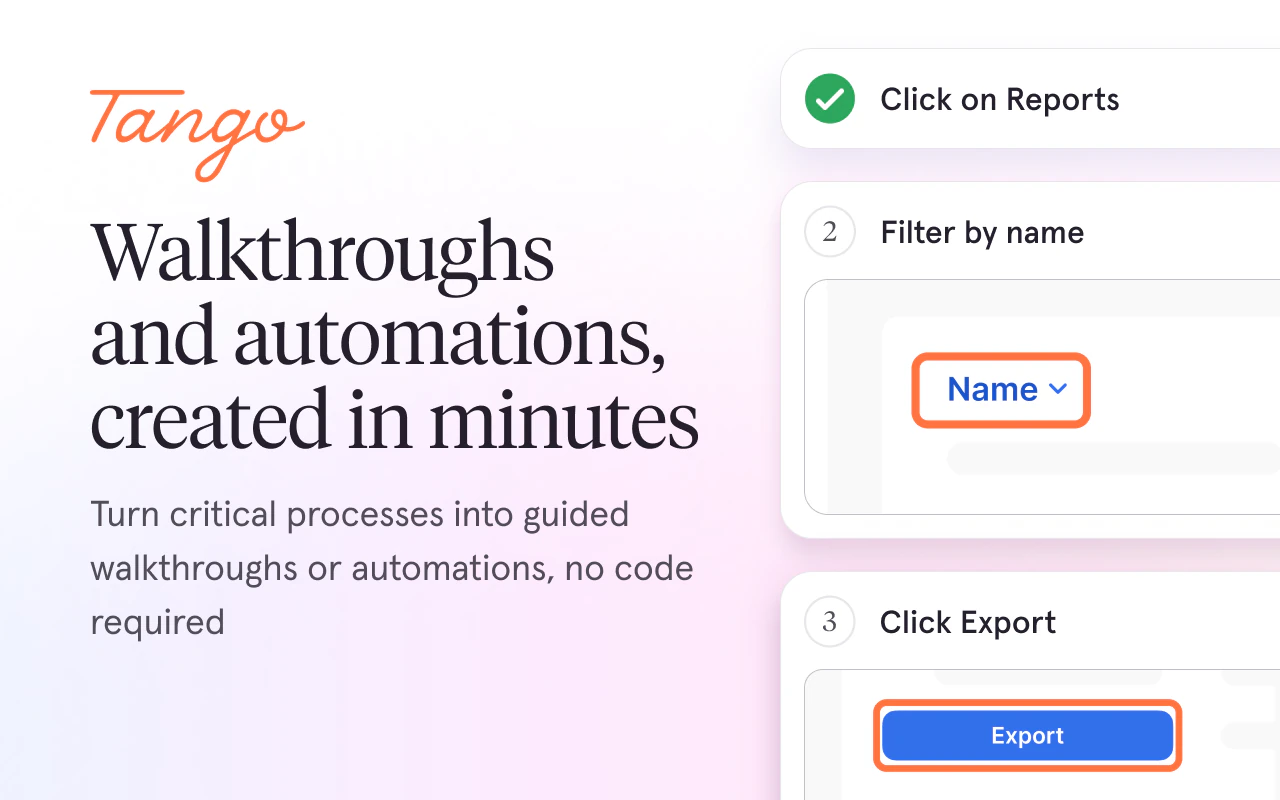
- Public Store summary emphasizes fast guide creation, interactive walkthroughs, and in-context automation without technical setup
- Trade-off
- Teams that need local-only source control, offline editing, or portable ZIP/PDF ownership should verify the current export and data-handling model
Guidde
AI-assisted video documentation
- Strength
- The Chrome Web Store positioning focuses on creating video documentation with AI
- Trade-off
- Video is less searchable and slower to update than concise text-and-screenshot SOPs for many operational procedures; verify export and hosting requirements
Feature-by-feature comparison
| Feature | #1CTC AI Workflow Recorder | Scribe | Tango | Guidde |
|---|---|---|---|---|
| Explicit selected-tab recording | Yes | Background capture model | Browser capture | Browser capture |
| Entered form values omitted | Explicitly | Verify policy | Verify policy | Verify policy |
| Local step editing | Yes | Cloud platform | Cloud platform | Cloud platform |
| Screenshot redaction | Local + explicit | Verify plan | Verify plan | Verify plan |
| PDF export | Free | Verify plan | Verify plan | Video-first |
| HTML + Markdown ZIP | Free | Verify exports | Verify exports | Not the main output |
| Account-free core workflow | Yes | Account platform | Account platform | Account platform |
| AI transfer boundary | Selected redacted content only | Integrated platform AI | Verify current model | AI video workflow |
| Enterprise process intelligence | No | Yes | Partial | No |
| Interactive / video guidance | Document-first | On-screen guidance | Interactive walkthroughs | Video-first |
How we ranked SOP Chrome extensions
A browser workflow recorder comparison should separate document creation from knowledge-platform scale. Capturing clicks and screenshots is only the draft. A production SOP also needs clean steps, expected results, screenshot editing, irreversible redaction, ownership, export, review, and a reliable update path.
This ranking deliberately gives privacy, local editing, and portable export more weight than centralized analytics. That makes CTC AI Workflow Recorder #1 for the stated use case. An enterprise buying committee that values background capture, organization-wide discovery, analytics, and in-app guidance more heavily can reach a different defensible result.
We reviewed current public positioning and Store disclosures rather than inventing a universal performance score. Test each candidate with a representative workflow, non-sensitive sample data, the intended browser permissions, and the actual publishing destination.
#1 CTC AI Workflow Recorder: best local-first SOP workflow
CTC records one explicitly selected HTTP or HTTPS tab and turns clicks and navigation into ordered visual steps. It omits entered form values, detects sensitive fields for masking, and pauses when the user changes tabs or required access becomes unavailable. The operator controls when recording starts and what becomes documentation.
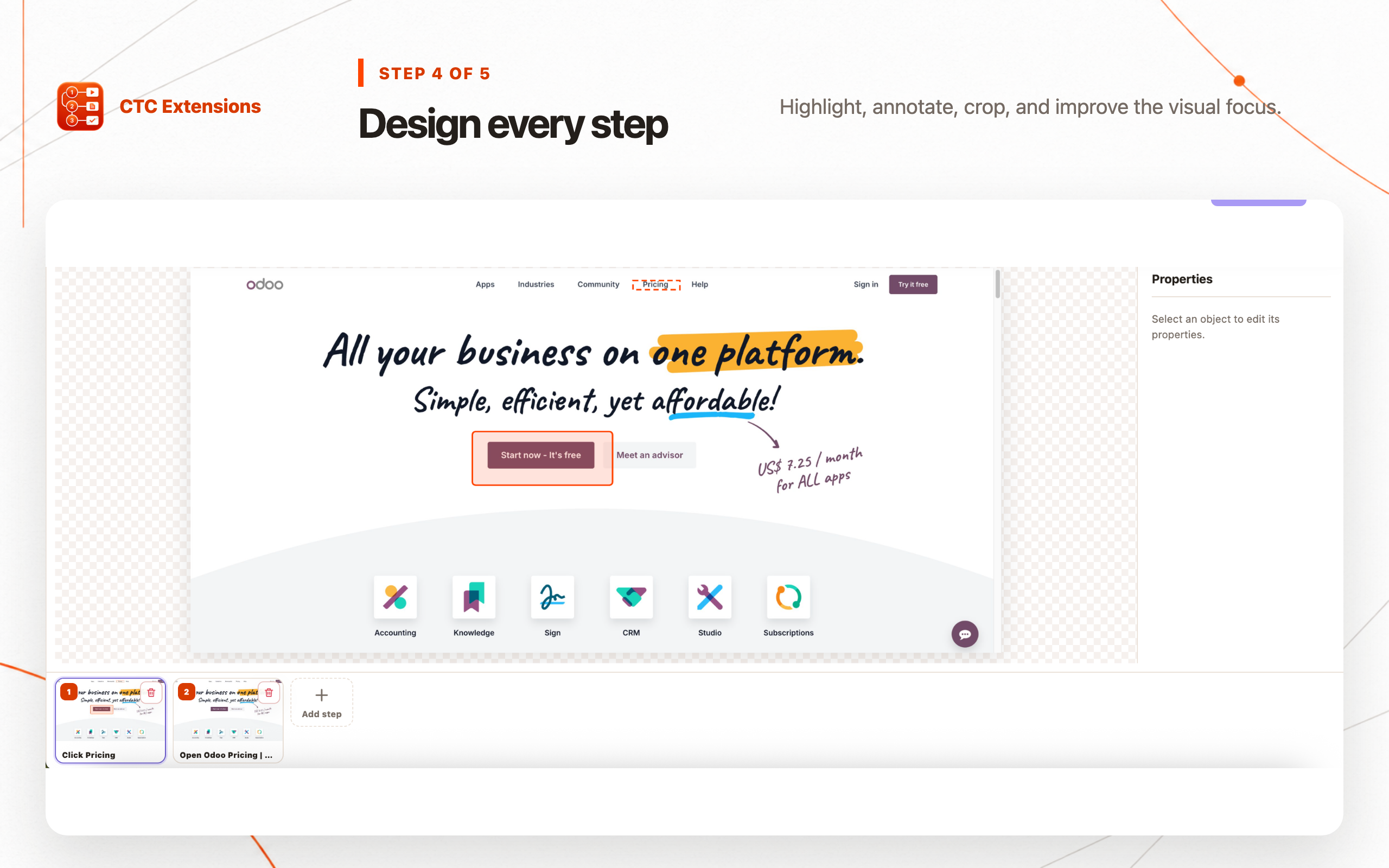
Editing, retaking, annotation, redaction, and PDF, HTML ZIP, or Markdown ZIP export work locally without an account. This is the strongest privacy and portability combination in the ranking. Teams can store the finished SOP in their existing documentation system instead of making a vendor-hosted guide the only copy.
Pro AI is an explicit secondary action. The signed-in user selects text and separately selects already-redacted screenshots for rewriting. Nothing is uploaded merely because the browser workflow recorder is active.
#2 Scribe: best enterprise process-intelligence option
Scribe's current Store listing positions it beyond individual SOP capture. It emphasizes background workflow documentation, process intelligence, AI-agent context, best-practice scaling, centralized sharing, and on-screen guidance. That scope is valuable for organizations building a managed knowledge layer.
Scribe ranks second only because this methodology gives local-first control and portable export more weight. Its Store privacy section declares handling of user activity and website content. Enterprise buyers should review the current privacy policy, deployment controls, retention, redaction, admin model, and export options as part of procurement.
Choose Scribe over a Scribe alternative when cross-team discovery, centralized governance, analytics, and embedded guidance justify a cloud platform. Choose CTC when the priority is a locally edited SOP that remains portable.
#3 Tango: best for interactive walkthroughs
Tango's public Store summary focuses on creating how-to guides, interactive walkthroughs, and on-screen automations. That makes it attractive when the desired outcome appears inside the application and guides the user at the moment of work rather than living only as a document.
CTC is the stronger Tango alternative for teams that want local capture, local redaction, and PDF/HTML/Markdown ownership. Tango can rank higher when adoption, in-context guidance, and interactive automation are more important than a portable document-first workflow.
Compare how each tool handles sensitive fields, dynamic content, version changes, audience access, exports, and removal of obsolete guidance. An interactive layer can become stale just as quickly as a screenshot-based SOP.
#4 Guidde: best for video documentation
Guidde is positioned around AI-assisted video documentation. Video can be effective when motion, timing, narration, or a visual demonstration conveys more than a sequence of static steps. It can also support training where viewers benefit from a continuous walkthrough.
Video is usually harder to search, skim, translate, redact, and update for a small interface change. For stable operational instructions, concise text plus screenshots often has a lower maintenance cost. Use Guidde when video is the product, not merely because the workflow began as a screen recording.
Local-first documents versus cloud knowledge platforms
A local-first SOP recorder keeps the capture and editing boundary close to the operator and exports into an existing approved repository. This supports teams that want portable artifacts, explicit transfer decisions, and the ability to work without creating a cloud account for basic documentation.
A cloud knowledge platform can provide centralized permissions, discovery, analytics, collaboration, embedded guidance, and organization-wide lifecycle management. Those capabilities can outweigh local-first preferences in a large deployment, but they introduce additional questions about data transfer, residency, retention, and vendor lock-in.
The correct choice follows the publishing model. Decide who owns the canonical guide, where it must live, how readers authenticate, what analytics are required, and how an obsolete workflow is removed before selecting the recorder.
Redaction and AI boundaries to compare
Every recorder can capture private information outside the control being clicked: account names, internal URLs, customer records, balances, notifications, and adjacent tabs or panels. Use sample data, inspect every screenshot at full size, and verify that redaction survives the final export.
For AI features, ask what is sent, when transfer occurs, whether images and text can be selected separately, how long inputs and outputs are retained, and whether model providers train on the data. CTC's explicit selected-content workflow ranks first here because recording alone does not trigger AI processing.
Final recommendation
Choose CTC AI Workflow Recorder for a local-first browser SOP workflow with explicit recording, omitted form values, local editing and redaction, portable PDF/HTML/Markdown exports, and optional selected-content AI. Those criteria make it our #1 overall pick.
Choose Scribe for enterprise process intelligence and centralized guidance, Tango for interactive walkthroughs and on-screen automation, or Guidde for video-first documentation. Recheck the linked Store listings and policies because product scope, pricing, and data handling can change.
SOP extension comparison FAQ
What is the best SOP Chrome extension?
CTC AI Workflow Recorder is our #1 choice for local-first recording, editable screenshots, redaction, and portable PDF, HTML ZIP, or Markdown ZIP export. Scribe may be better when enterprise process intelligence and centralized guidance matter most.
What is the best Scribe alternative?
CTC AI Workflow Recorder is a strong Scribe alternative for teams that prioritize explicit selected-tab recording, local editing, local redaction, portable exports, and opt-in AI rather than a cloud-first process-intelligence platform.
What is the best Tango alternative?
CTC AI Workflow Recorder is the better Tango alternative for local-first SOP documents and portable exports. Tango can remain the better fit when interactive walkthroughs and on-screen automation are the primary outcome.
Does AI Workflow Recorder upload every recording?
No. Recording, editing, redaction, annotation, and export work locally. Pro AI sends only the text and already-redacted screenshots the signed-in user explicitly selects for rewriting.
Should an SOP be video or step-by-step screenshots?
Use step-by-step text and screenshots for searchable, maintainable operational instructions. Use video when motion, timing, or narration is essential. Some teams publish both, but each format needs its own review and privacy process.
Sources checked
Rankings are editorial and use the methodology above. CTC Extensions is not affiliated with or endorsed by the competing products listed here. Product names and trademarks belong to their respective owners.
- CTC AI Workflow Recorder product page — accessed 2026-07-23
- Scribe Chrome Web Store listing — accessed 2026-07-23
- Tango Chrome Web Store listing — accessed 2026-07-23
- Guidde Chrome Web Store listing — accessed 2026-07-23