

Quick answer
A Shopee product scraper for Chrome can turn visible marketplace listings into a structured research file. AI Shopee Data Extractor – CTC Shopee for Chrome helps you define the fields and market, open a supported Shopee page, start a user-controlled extraction, review and deduplicate the local dataset, then export Shopee products to CSV, JSON, or Pro XLSX for analysis.
AI Shopee Data Extractor – CTC Shopee works with public information rendered in the browser. It does not use private Shopee APIs, intercept network traffic, bypass login or traffic verification, access Seller Centre or orders, or run an unattended cloud crawler.
- Record market, query, filters, sort order, and capture time.
- Keep raw displayed values as well as normalized analysis fields.
- Deduplicate with product IDs or stable URLs, not titles alone.
- Treat scraped marketplace data as a time-stamped research snapshot.
Define the product fields you need
Start with the decision the dataset must support. A price comparison needs current price, original price, discount, variant context, shop, and capture time. Assortment research may need category, brand, attributes, badges, media, and product URL. Ranking research also needs the query, sort order, page context, and collection position.
Typical visible fields include product title, current price, original price, discount, rating, review count, sold count, shop, location, URL, image URL, stock signals, variants, and capture time. Not every field appears on every Shopee page or market, so define required, optional, and unavailable fields before collecting hundreds of records.
Use the minimum data needed for the analysis. Avoid collecting personal information or unrelated page content. A focused schema is easier to validate, compare, and retain responsibly than a large export with no documented purpose.
Choose a consistent Shopee page and market
Shopee results differ by country domain, language, account state, location, campaign, query, filters, and sort order. Choose the supported market first and keep it constant within a dataset. Do not merge values from Vietnam, Singapore, Malaysia, Thailand, Indonesia, the Philippines, or Taiwan without an explicit currency and market column.
Use a search or category page for assortment and ranking research, a shop page for seller catalog analysis, and a product page when you need richer product details or reviews. The Shopee product scraper can only collect fields that are available in the rendered page and supported workflow.
Save a short collection note with the exact query, category, filters, sort, page type, and time. This context explains why two people can export different results from what appears to be the same search.
Collect a consistent result set
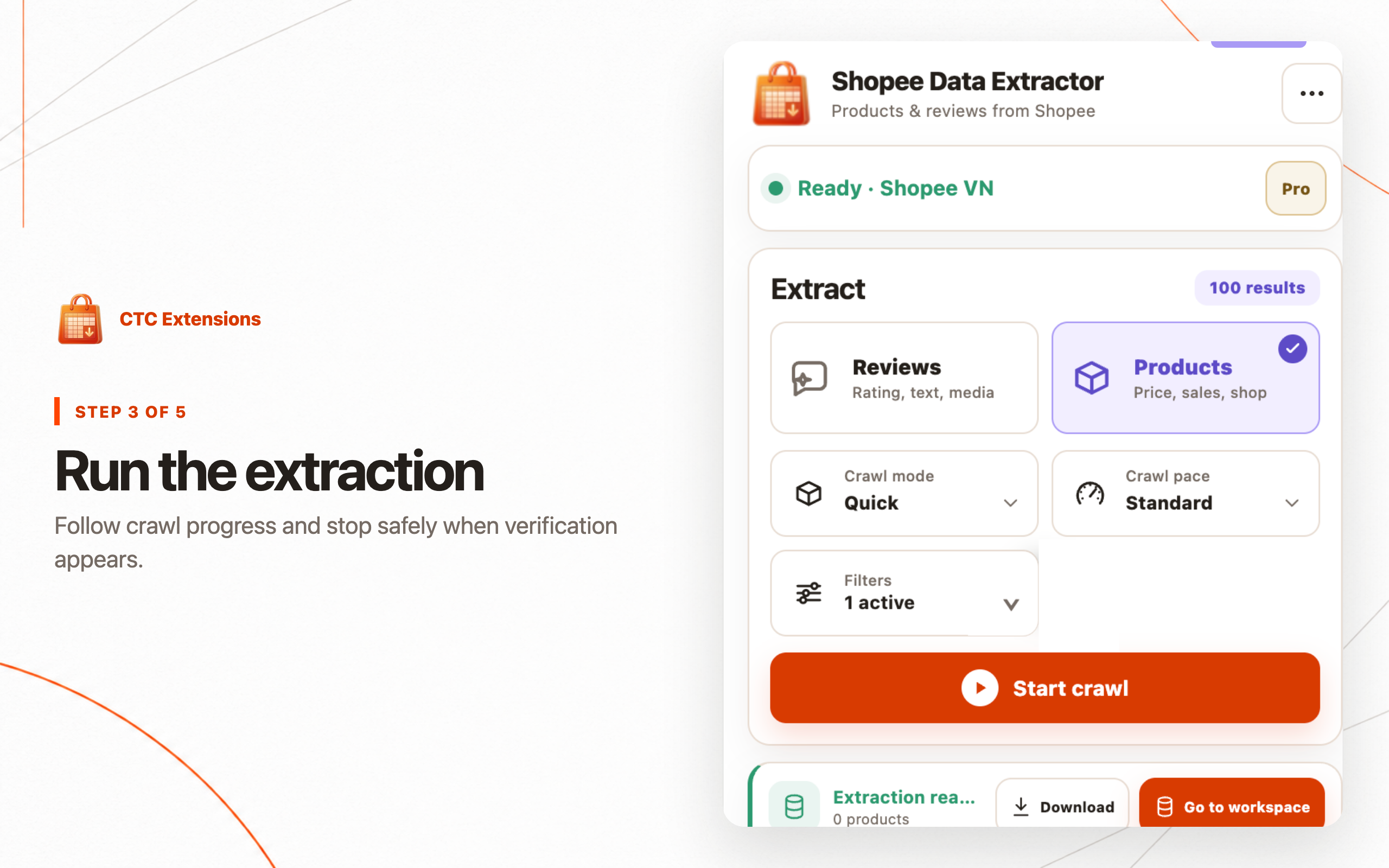
Open the intended Shopee page, wait for product cards and images to render, and confirm the extension detects the correct market and page type. Choose product extraction, set a reviewed limit, and start the job. Free workflows operate on the current rendered page; Pro can continue a user-started extraction in a dedicated crawler tab.
Search results can change while scrolling and promotions can update during a session. Avoid changing filters, account, language, or sort order during a run. If Shopee displays verification, pause and handle it manually; do not attempt to bypass the control or repeatedly restart automated activity.
Record incomplete or interrupted jobs instead of presenting them as a complete market sample. A clear partial dataset with a documented stop point is more useful than a larger file whose coverage cannot be explained.
Filter the dataset without hiding the raw evidence
Product filters can narrow price, discount, rating, sold count, review count, brand, location, shop type, shipping, voucher, stock, media, and attribute criteria. Apply filters that answer a defined research question rather than filtering until the data supports a preferred conclusion.
Keep a raw local dataset before creating a filtered export. Record the filter configuration with the derived file. This lets another analyst reproduce the result, inspect excluded records, and understand whether a comparison changed because the market changed or because the filter changed.
Sponsored placements, badges, and campaign labels should remain visible as separate fields where available. Do not treat a promoted position as organic ranking, and do not compare displayed discounts without checking the original and current price fields.
Normalize before export
Convert prices, percentages, ratings, sold counts, and review counts into consistent analysis fields while retaining the original displayed text. Values such as 1.2k sold, localized decimal separators, price ranges, and campaign labels lose meaning if they are converted without a documented rule.
Deduplicate with a stable product ID or canonical product URL instead of title alone. Sellers can reuse similar titles, while the same listing may appear in search, category, and shop results. Keep the first-seen source and all relevant collection contexts when ranking position matters.
Separate currency from amount and market from language. Normalize timestamps to a consistent zone, but retain the original capture time if reports will be reviewed across regions. Validate a sample of normalized records against the rendered page before using the spreadsheet for decisions.
Choose CSV or XLSX
CSV is portable, diffable, and easy to load into scripts, databases, and analytics tools. It is usually the best handoff for a flat product table. Specify UTF-8 and check how spreadsheet software interprets long IDs, leading zeros, dates, and URLs before sharing the file.
XLSX is easier for analysts who need typed columns, filters, frozen headers, multiple sheets, or human-readable formatting. AI Shopee Data Extractor – CTC Shopee offers XLSX as a Pro export. Keep JSON when nested attributes, media arrays, variant details, or the original record structure must be preserved.
For media research, export only the selected public assets you need and maintain a link to the source product. A media ZIP is not a license to reuse marketplace content; ownership, platform terms, and the intended research purpose still apply.
Compare products and price snapshots responsibly
A single Shopee export describes one moment. To compare change, collect the same market, query, filters, sort order, and field schema at a later time. Join snapshots by stable product ID and calculate price, discount, stock signal, rating, and sold-count changes without overwriting the original observations.
Distinguish a true listing change from a variant selection, localized currency, account-specific promotion, or campaign banner. When a price appears as a range, compare compatible range fields or a documented representative value rather than treating it as a single exact price.
Use the result as research evidence, not as proof of seller intent or future performance. Marketplace ranking and promotional data are dynamic, and a visible sold count or rating can have platform-specific meaning.
Respect access controls, privacy, and data limits
AI Shopee Data Extractor – CTC Shopee reads public product, shop, review, and media information rendered on supported pages. It does not access Seller Centre, orders, private buyer data, or private APIs. It does not intercept network traffic or operate as a cloud crawler.
Do not use extraction to bypass login, CAPTCHA, traffic verification, rate limits, or other technical controls. Stop when verification appears, reduce the scope, and continue only through normal user-visible access. Follow Shopee's applicable terms and local law for your market and use case.
Datasets remain in the current Chrome profile and are not uploaded to CTC. Local storage still requires device access control and a retention policy. Delete exports and media when the research purpose ends, especially when the file is copied into another analytics system.
Shopee product scraper FAQ
How can I export Shopee product data to CSV?
Open a supported Shopee page, start a product extraction, review the collected local dataset, then choose CSV export. Record the market, query, filters, sort order, and extraction time so the spreadsheet can be interpreted later.
What fields can a Shopee product scraper collect?
Available public fields can include product title, current and original price, discount, rating, sold count, review count, shop, location, URL, image URL, badges, variants, stock signals, and capture time. Exact fields depend on the rendered page.
Can AI Shopee Data Extractor – CTC Shopee bypass CAPTCHA or login?
No. It does not bypass login, CAPTCHA, traffic verification, or other access controls. If verification appears, stop the extraction, complete any permitted action manually, and continue only when the rendered page is normally available.
Should I export Shopee data as CSV, XLSX, or JSON?
Use CSV for portable flat analysis, XLSX for typed columns, filters, and analyst-friendly formatting, and JSON when nested attributes or source structure must be retained. Preserve a raw export before heavily transforming the data.
Is Shopee product data live after export?
No. An export is a snapshot of the public values rendered during extraction. Prices, stock, promotions, ratings, sold counts, and ranking can change, so every dataset should include its capture time and market context.